Long Section Grid
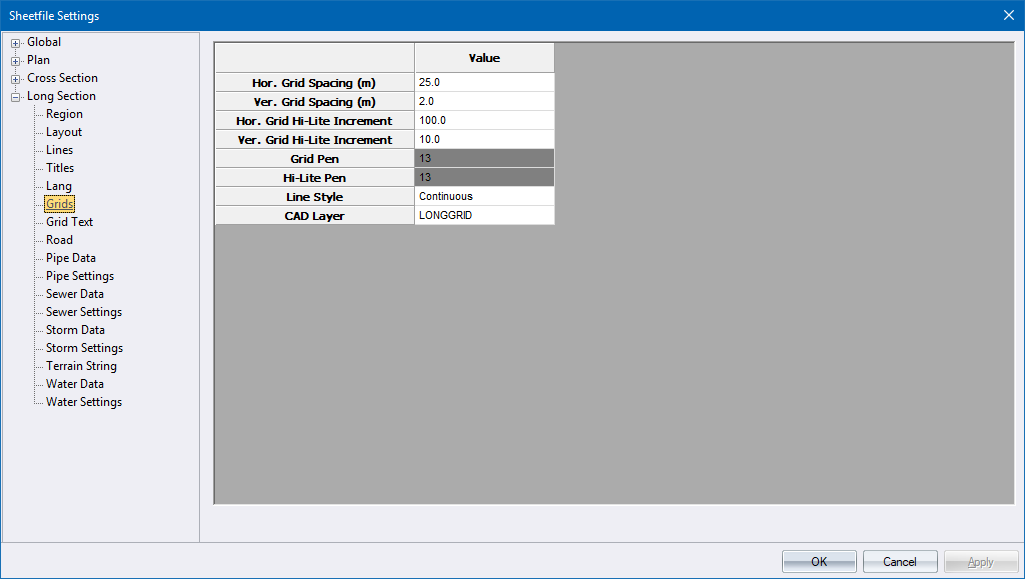
This page defines the grid lines that are drawn in the section area.
|
Option
|
Description |
|
Hor. Grid Spacing |
Enter the spacing of the horizontal grid lines in metres. |
|
Ver. Grid Spacing |
Enter the spacing of the vertical grid lines in metres. |
|
Hor. Grid Hi-Lite Increment |
Enter the spacing of highlighted horizontal grid lines (uses highlight pen) in metres. Enter a value of 0 to ignore horizontal highlighting. |
|
Ver. Grid Hi-Lite Increment |
Enter the spacing of highlighted vertical grid lines (uses highlight pen) in metres. Enter a value of 0 to ignore vertical highlighting. |
|
Grid Pen |
Select the pen for the grid lines. Right-click the cell to display the pen selection. |
|
Hi-Lite Pen |
Select the pen for the highlighted grid lines. Right-click the cell to display the pen selection. |
|
Line Type |
Enter the line type for the grid lines. |
|
CAD Layer |
Enter the layer on which the grid should be plotted. |