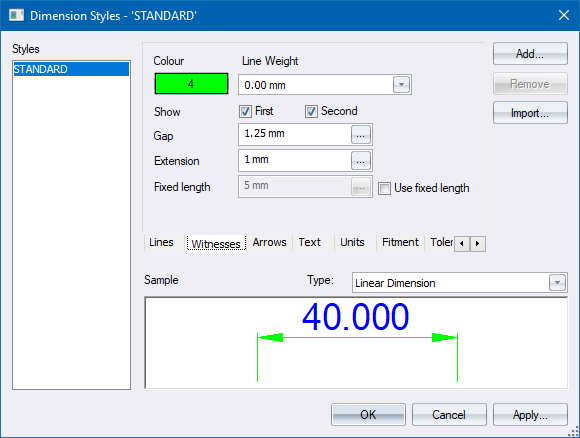
Use this page to configure witness line settings.
|
Option
|
Description |
|
Colour button |
Click to open the Colour Selection to select a pen for the witness lines. |
|
Line Weight |
Select a line weight from the dropdown list. |
|
Show First |
Select this checkbox to display the first (left side) witness line. |
|
Show Second |
Select this checkbox to display the second (right side) witness line. |
|
Gap |
Enter the spacing, in drawing units, between the dimension point and the start of the witness line. |
|
Extension |
Enter the distance, in drawing units, that the witness line extends past (or above) the dimension line. |
|
Fixed length |
Enter the distance, in drawing units, that the witness line extends below the dimension line, if the Fixed length on option is checked. |
|
Use fixed length |
Select this checkbox to enable use of the Fixed length entry and to ignore the Gap value. |