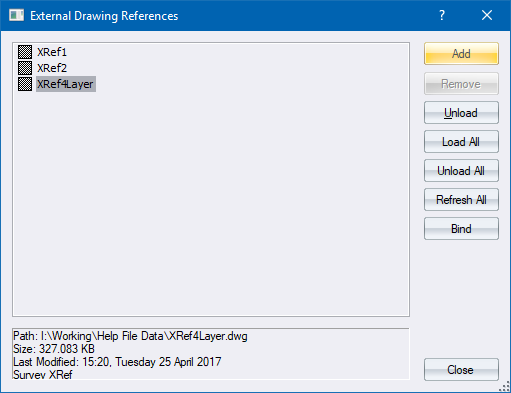
Manage the external drawing references (XRefs) in the drawings.
|
Option
|
Description |
|
List |
Displays a list of the XRefs in the drawing. Loaded XRefs display the |
|
Add button |
Click to browse for, and add, an external drawing to the list of XRefs. |
|
Remove button |
Click to remove the currently selected XRef from the drawing. Only available if the XRef is not in use in the drawing. |
|
Load button |
Click to load the selected XRef. |
|
Unload button |
Click to unload the selected XRef. Unloading XRefs frees up program memory. Any Inserts in the drawing that reference the unloaded XRef will be drawn with a placeholder tag. |
|
Load All button |
Click to load all unloaded XRefs. |
|
Unload All button |
Click to unload all loaded XRefs. |
|
Refresh All button |
Click to reload all the out-of-date XRefs (those marked with an orange clock icon) |
|
Bind |
Make the XRef data part of the current drawing by importing all the data from the XRef. |
 icon, while unloaded XRefs display the
  icon.
icon.