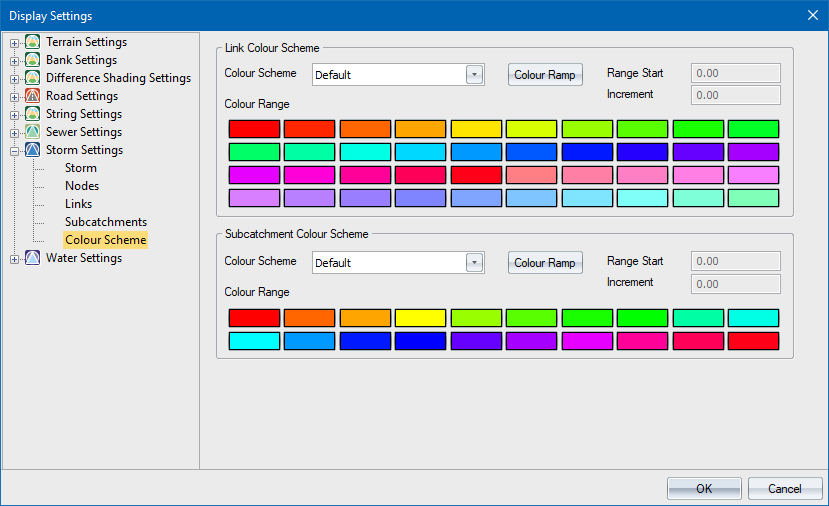
Displays the links and subcatchments according to the selected parameter and pen for that specific attribute.
 The link colour scheme will only be applied after an analysis of the network has been completed. The Size parameter will also only be applied to links with a size1 value. This means that drains, pumps and reservoirs will not be displayed in the size colour scheme.
|
Option
|
Description |
|
Link Colour Scheme |
|
|
Colour Scheme |
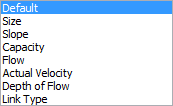
Select the design parameter which will determine the link colour. The options here are:
The Default option uses the default link pen. |
|
Colour Ramp Button |
Click to access the Colour Ramp so you can specify a ramp to be applied to the Colour Range. |
|
Range Start |
Enter the minimum value for the selected design item. Only available when Colour Scheme is not set to Default or Link Type. |
|
Increment |
Enter the increment value for each step in the range of values. There are 40 steps in the range. Only available when Colour Scheme is not set to Default or Link Type. |
|
Colour Range |
Click the relevant button to change the colour assigned to that particular range item. |
|
Subcatchment Colour Scheme |
|
|
Colour Scheme |
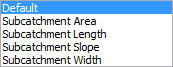
Select the design item which will determine the subcatchment colour. The options here are:
The Default option uses the default fill pen. |
|
Colour Ramp Button |
Click to access the Colour Ramp dialog so you can specify a ramp to be applied to the Colour Range. |
|
Range Start |
Enter the minimum value for the selected design item. Only available when Colour Scheme is not set to Default. |
|
Increment |
Enter the increment value for each step in the range of values. There are 20 steps in the range. Only available when Colour Scheme is not set to Default. |
|
Colour Range |
Click the relevant button to change the colour assigned to that particular range item. |