|
Option
|
Description |
|
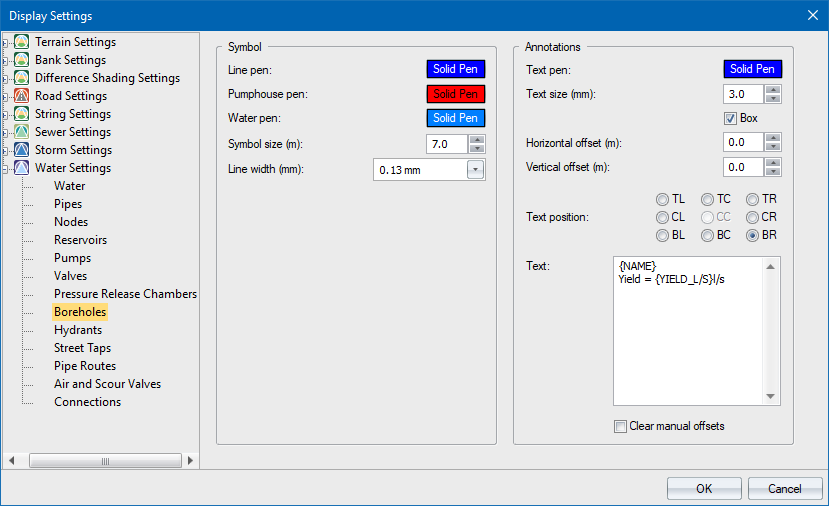
Symbol |
|
|
Line Pen |
Select the pen for the outline of the borehole symbol. |
|
Pump House Pen |
Select a pen for the pump house fill. |
|
Water Pen |
Select a pen for the water level fill. |
|
Symbol Size |
Select the size of the symbol in mm. |
|
Line Width |
Select the width of the pump symbol outline in mm. |
|
Annotations |
|
|
Pen |
Select the pen for annotation text. |
|
Text Size (mm) |
Select the annotation text size in mm. |
|
Box |
Select this checkbox to have a box filled in the current drawing background colour placed behind the annotation text. This is a useful option if you want to blank out portions of the underlying data in order to highlight the text. |
|
Horizontal offset from symbol |
Specify the horizontal offset between the annotation text and the borehole symbol. |
|
Vertical offset from symbol |
Specify the vertical offset between the annotation text and the borehole symbol. |
|
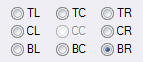
Text position |
Select one of the eight available positions for the annotation text origin.
The centre position is the actual borehole position. |
|
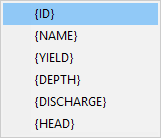
Text |
Select which text to display:
|
|
Clear manual offsets |
By design, manually altered text offsets and positions are preserved when you alter relevant global values on this page. Select this checkbox to clear manual settings and revert all text offsets and positions to default values. |