|
Option |
Description
|
|
|
|
|
Colour scheme |
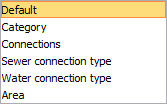
Select the design item by which the parcels should be displayed. The options are:
When Default is selected then no colour scheme is applied but instead the Default fill colour and pattern hatch specified on the main Parcels page is used. |
|
Colour Range |
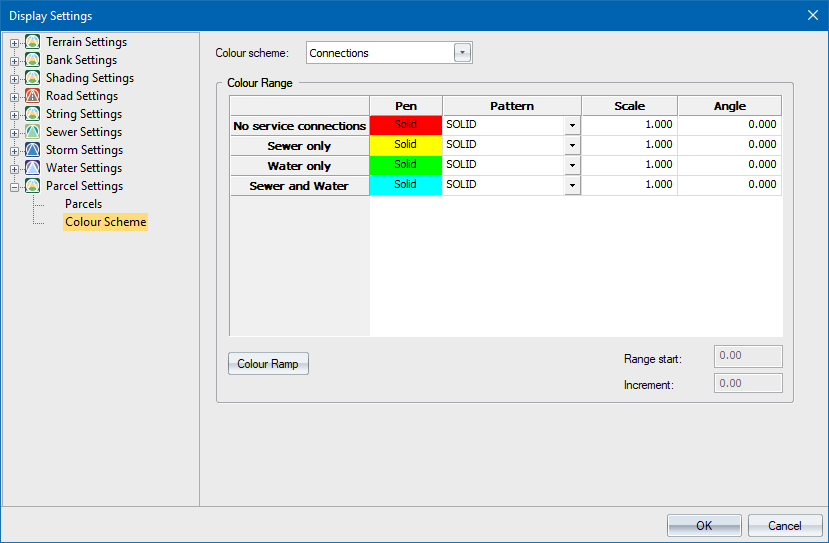
The rows of the grid depend on the selection made for the Colour scheme droplist. Each row specifies the different appearance of the parcels. |
|
Pen column |
Select the colour to be used for the solid fill or pattern hatch of parcels of this particular range item. |
|
Pattern column |
Pattern column Select SOLID to have parcels drawn solid filled, else select a hatch type to draw parcels as pattern-filled. |
|
Scale column |
Enter the hatch scale for pattern filled-parcels of this range item. |
|
Angle column |
Enter the angle scale for pattern filled-parcels of this range item. |
|
Colour Ramp |
Click to access the Colour Ramp Dialog where you can specify a ramp to be applied to the Colour Range. |
|
Range Start |
Enter the minimum value for the selected design item |
|
Increment |
Enter the increment value for each step in the range of values |