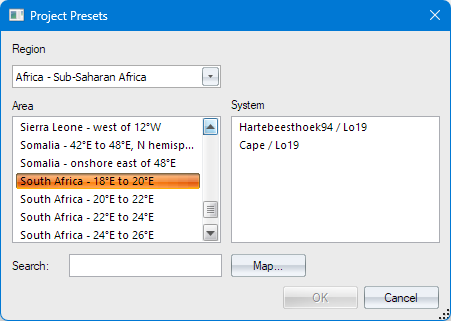
This dialog allows you to choose a coordinate system that is typical for a particular part of the world. It is meant to be an alternative to setting up the projection settings yourself.
|
Option |
Description
|
|
Region |
This shows a list of geographic regions (source: official UN geospheres). Select the region of interest to you. |
|
Area |
This shows a list of areas that exist within the chosen region, or matching the search text. Select the area of interest to you. |
|
System |
This shows a list of coordinate systems known for the chosen area. Select the system of interest to you. |
|
Search |
Enter text to search for an area rather than selecting it. |
|
Map |
Press to show the Map Picker Dialog for a visual area search. |
|
OK |
Enabled only when an item has been selected from the Systems list. Click this to accept the selection and return to the Project Settings dialog. |
|
Cancel |
Press this to revert to the Project Settings dialog with no change. |