Publish Destination
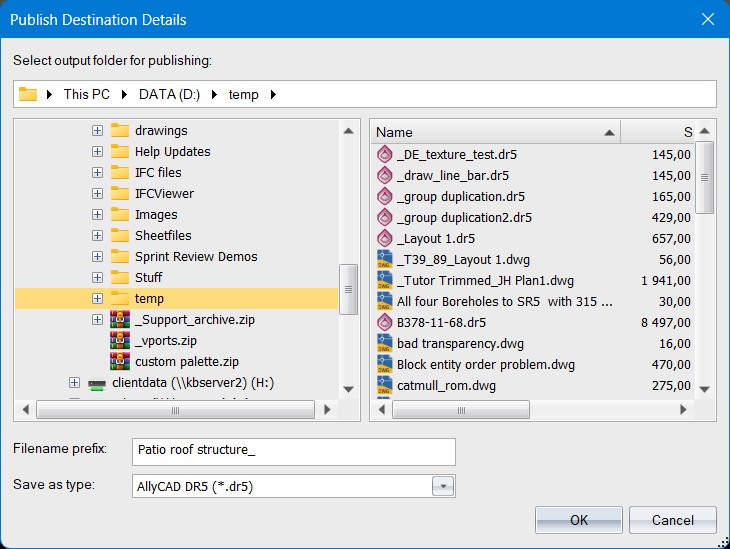
The Publish Destination Details dialog will appear when you need to specify the output folder, file prefix, and file type for the layout(s) you are publishing.
It is used by the Publish function, and when using the “Save as separate drawings” option in Plot Generate.
|
Option
|
Description |
|
Path edit box |
The edit input at the top of the dialog is a 'breadcrumb' file path input. You may copy a file path from elsewhere and paste it in here. |
|
Folder tree |
The main panel on the left displays a tree list of the folders on your computer, and on the network. Click on any folder to set it as the destination folder for publishing. |
|
File list |
The main panel on the right displays a list of files in the selected folder. The list only shows file of the types that you can publish to. It helps to avoid overwriting previously published files. |
|
Filename prefix |
Enter the prefix for the filenames that will be saved. The output filenames will be the prefix + the individual layout names. |
|
Save as type |
Choose the output file type from one of DR5, or from several versions of DWG or DXF. Note that if you are publishing to PDF. The save type will be fixed as 'PDF'. |