Add benching, between two user defined points, to the active cross-section layer.
|
Icon |
Command |
Shortcut Key |
Toolbar |
|
|
RoadSectionGraphicalAddBenching |
|
|
This function allows you to add benching between two points to the active cross section. The active cross-section is the line that has been set as Active in the Section Lines Dialog.
Benching can be added in either an up-slope or down-slope direction.
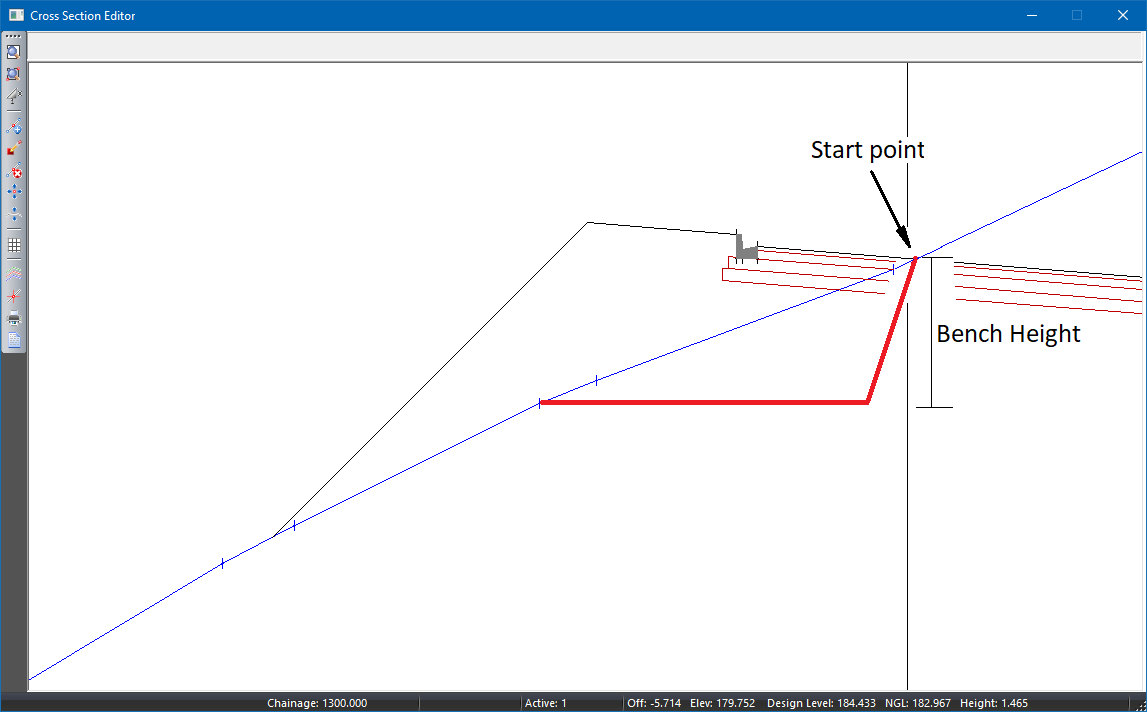
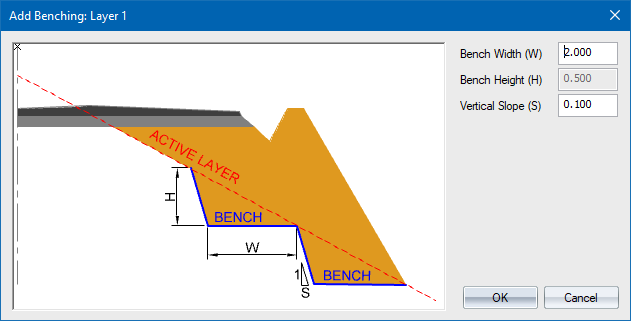
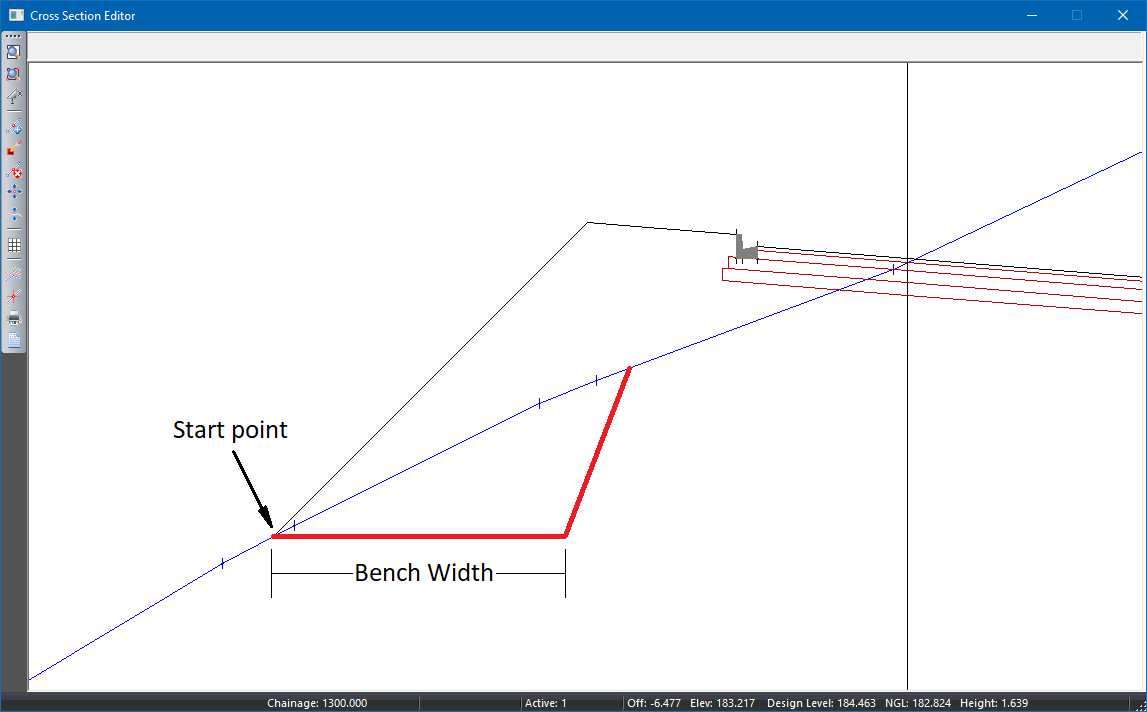
If the start point is lower than the end point, then the benching will be specified in an up-slope direction (See A above) in which case, the “Bench Height (H)” input box will be disabled. If the start point is higher than the end point, then the benching will be specified in a down-slope direction (See B above) in which case, the “Bench Width (W)” input box will be disabled.
Enter the desired bench dimensions and press OK. Benching will be applied to the active cross section layer, between the indicated start and end points.