Sight Analysis
Calculate design speed based on sight distance.
|
Icon |
Command |
Shortcut Key |
Toolbar |
|
|
RD_CALCDESIGNSPEED |
|
|
This function allows you to perform a sight distance analysis, according to the British Highway Standards. It calculates the Harmonic Mean Visibility (VISI), Bendiness and Alignment Constraints (Ac) on a cross-section layer, for up to 100 user defined chainage ranges.
The design procedure is as follows:
-
Draw up a preliminary alignment using an appropriate design speed.
-
Measure the Ac (Alignment Constraints) for each of the chainage ranges (> 2km each) using this function.
-
Calculate the design speed according to Figure 2.1 of CD 109, of the Design Manual for Roads & Bridges. See the figure below.
-
Identify problem areas where the calculated design speed are less than the design speed used for the preliminary design.
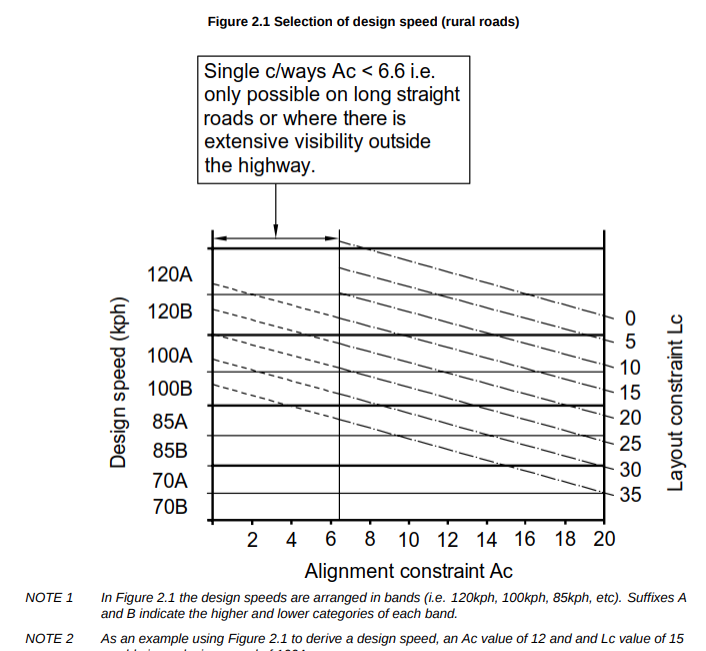
Procedure
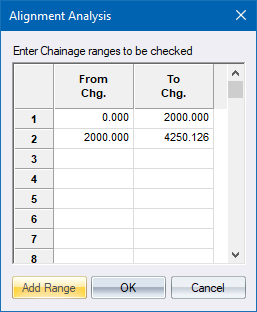
- The Alignment Analysis range displays.
-
To specify additional chainage ranges to check, click Add Range.
- Click OK to display the Sight Distance Check settings.
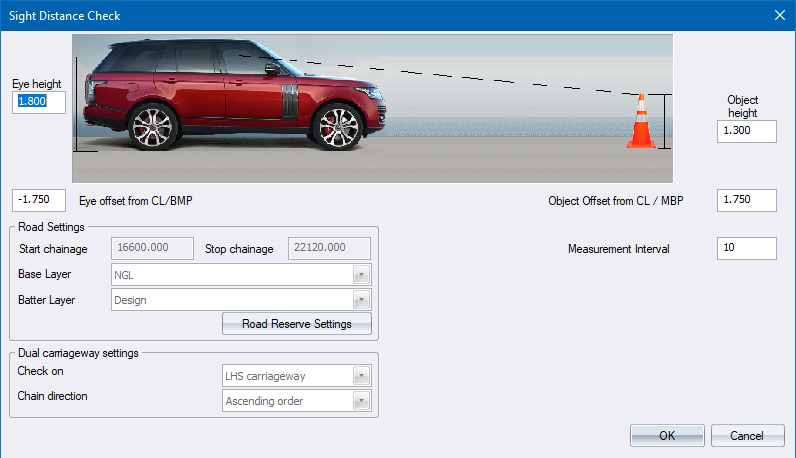
- Enter the relevant information and click OK.
Results
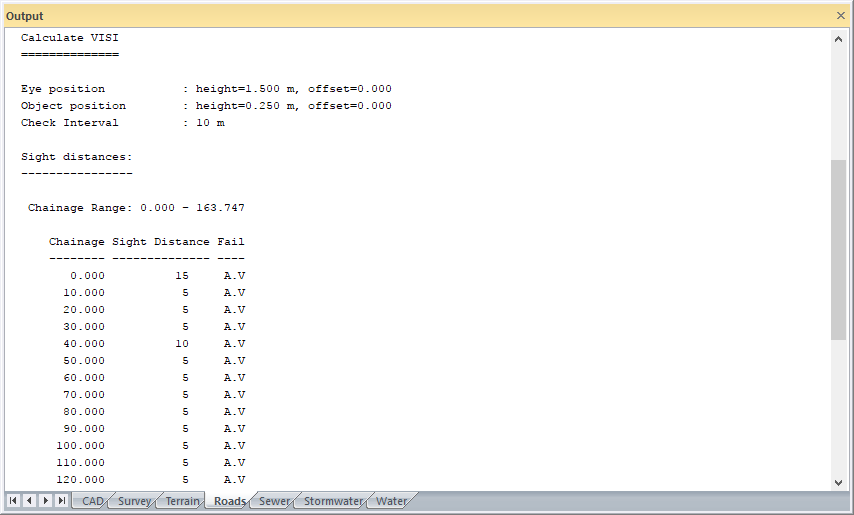
The following results display for each chainage range.
|
Property |
Description
|
|
Chainage |
The chainage at which the sight distance has been calculated. |
|
Sight Distance |
The maximum distance in front of the driver at which he can see the specified object. |
|
Fail |
An indication of why the driver cannot see the object;
|
The Evaluation results are displayed for each chainage range.
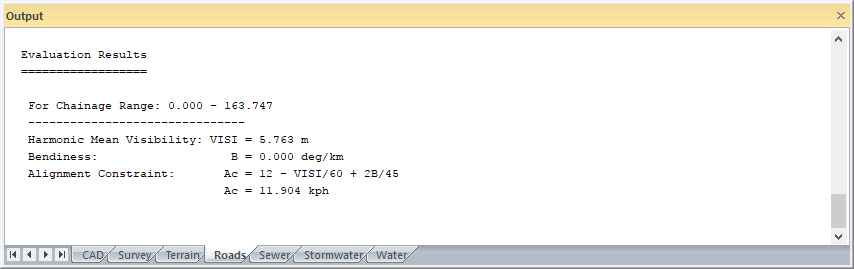
The last item is the design speed, based on the sight distance.