|
Option
|
Description |
|
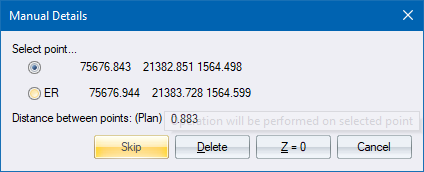
Select point... |
Select the point on which to carry out the selected action. |
|
Skip button |
Click to ignore both points. |
|
Delete button |
Click to delete the selected point. |
|
Z = 0 button |
Click to set the height ordinate of the selected point to 0. |
|
Cancel button |
Click to cancel the function. |
See Also Manual Screen