Kerb Editor
Edit kerbs.
|
Icon |
Command |
Shortcut Key |
Toolbar |
|
|
RD_KERBEDIT |
|
|
This function allows you to load a kerb group file (*.krb) and edit its contents.
A kerb group file contains one or more kerbs. Each kerb contains cross-sectional geometry data and quantities data. The kerbs can then be specified in the Edge Levels specifications, which are then stored as part of the Batter layer after running Generate Levels. You can then calculate kerb quantities and plot cross-sections that include the kerbs.
Procedure
- The Kerb Editor displays.
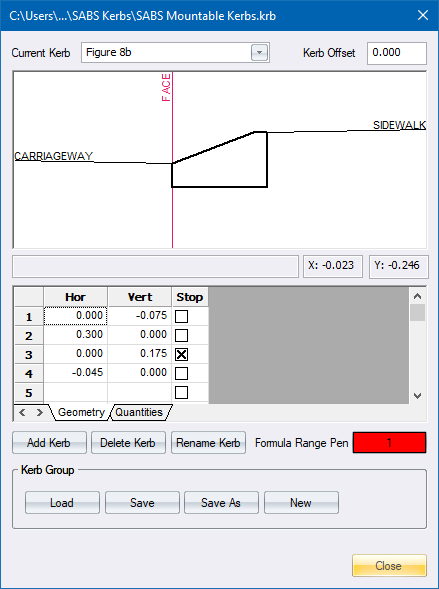
- Fill in the relevant details and click Close to continue.
Geometry
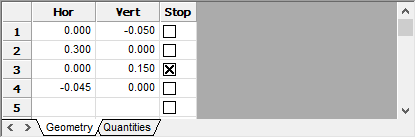
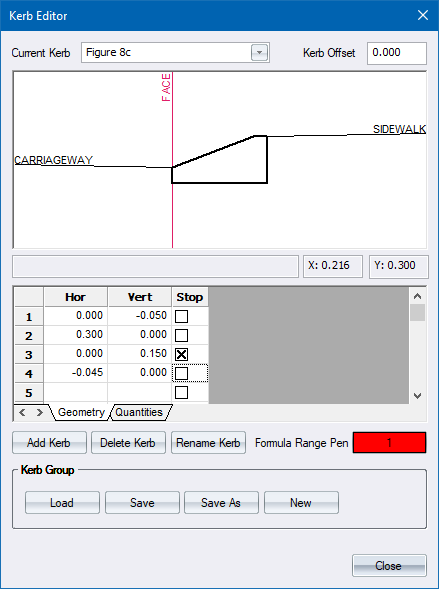
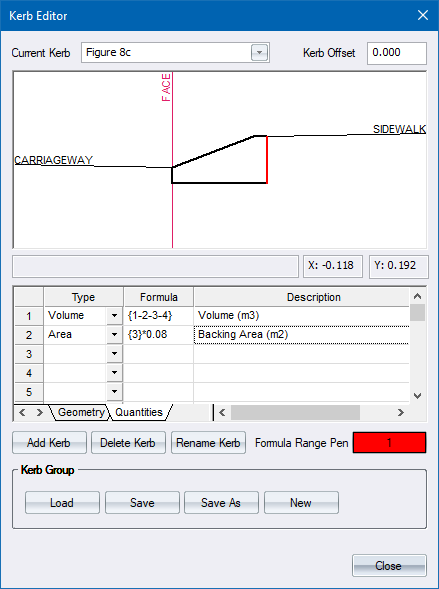
Define the kerb geometry in terms or horizontal and vertical offsets. Start at the edge of the carriageway and define the geometry as follows for this example.
- First the front face of the kerb
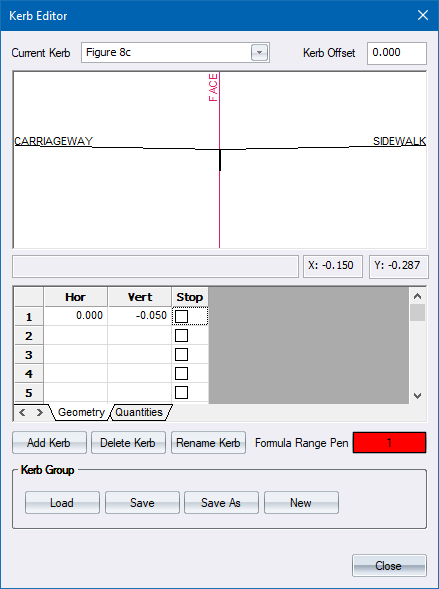
- Then the bottom of the kerb.
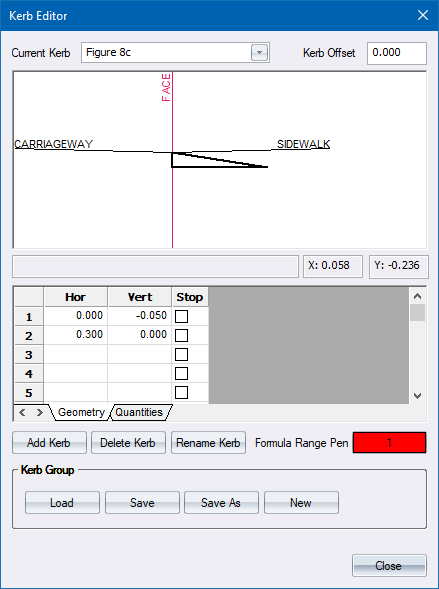
- Now the back face of the kerb.
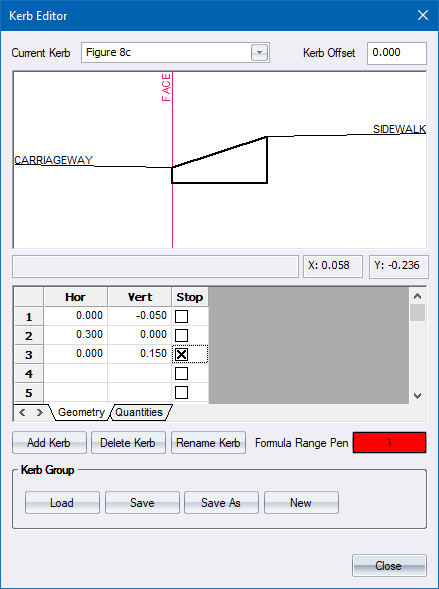
 Note that the Stop box is checked for this point, to indicate that the compulsory additions of the template start from here. This is indicated by the line marked Sidewalk.
- Finally, finish off with the top face of the kerb.
Quantities
Quantities can be defined in terms of Length, Area or Volume.
-
The first quantity you need is the kerb volume. This is defined by specifying the type as Volume, and then adding the corner points of the kerb cross-section.
- Right-click in the Formula cell and select the Define Region option.
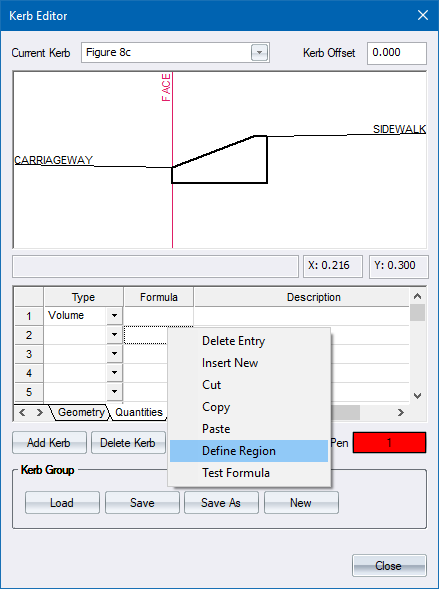
- You are prompted to:
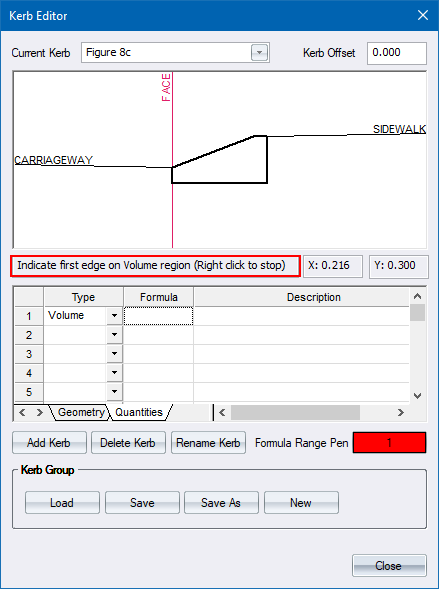
-
Click on a face of the kerb. It is highlighted.
- You are prompted to:
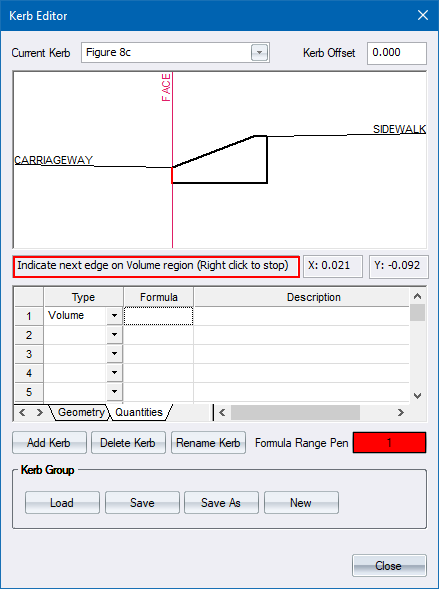
-
Continue to click on the faces of the kerb until the entire perimeter is highlighted.
- Right-click to finish.
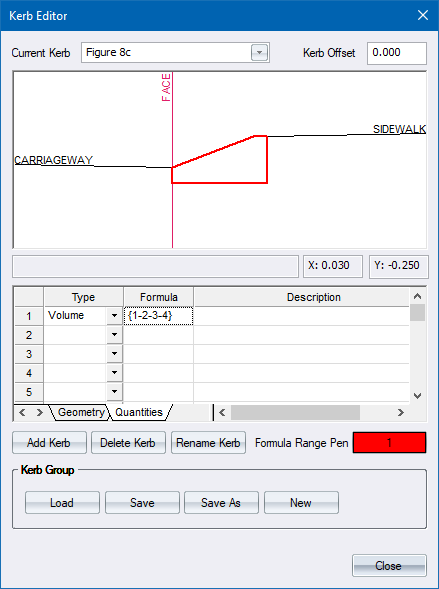
- The area of the kerb is defined. This is multiplied by the length of kerb for volume calculations. Lastly, enter a suitable description for this qunatity, i.e. Volume.
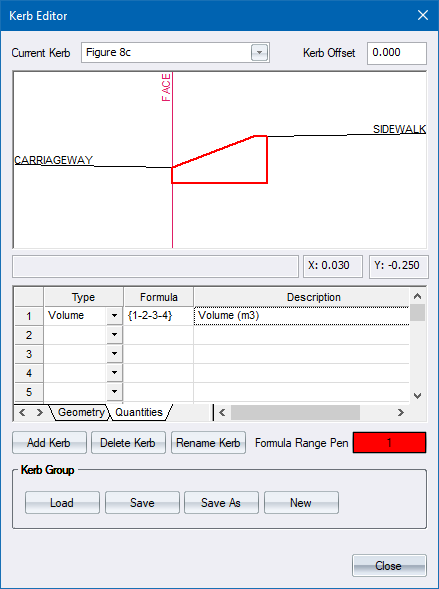
- You can also define the backing area of the kerb as follows.
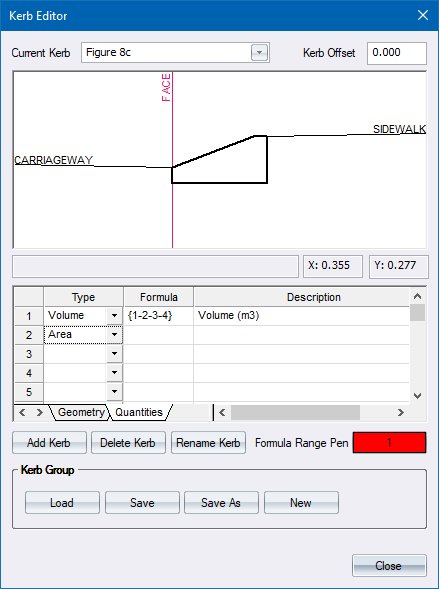
- Select the Area option for the second quantity calculation, and then right-click in the Formula cell and select the Define Region option.
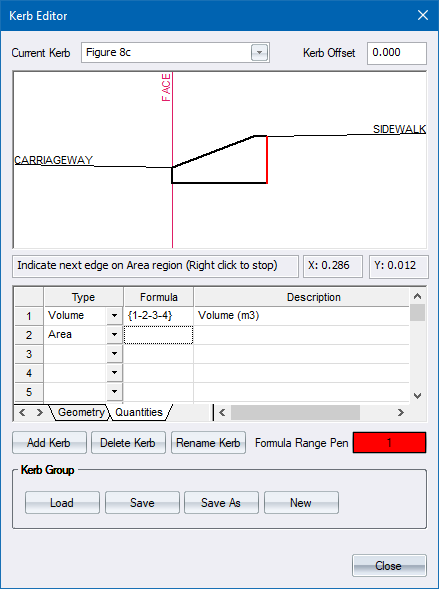
- Indicate just the back face of the kerb and right-click. The formula field is updated.
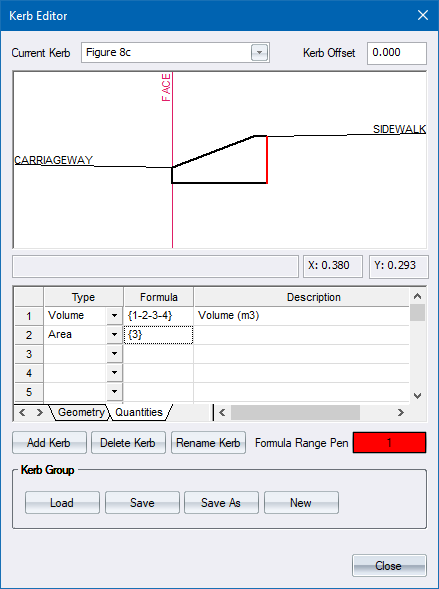
- You want to add a 80mm thick backing so you need to multiply the calculated area with 0.08m and fill in a suitable description.
Unit Length
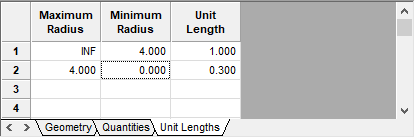
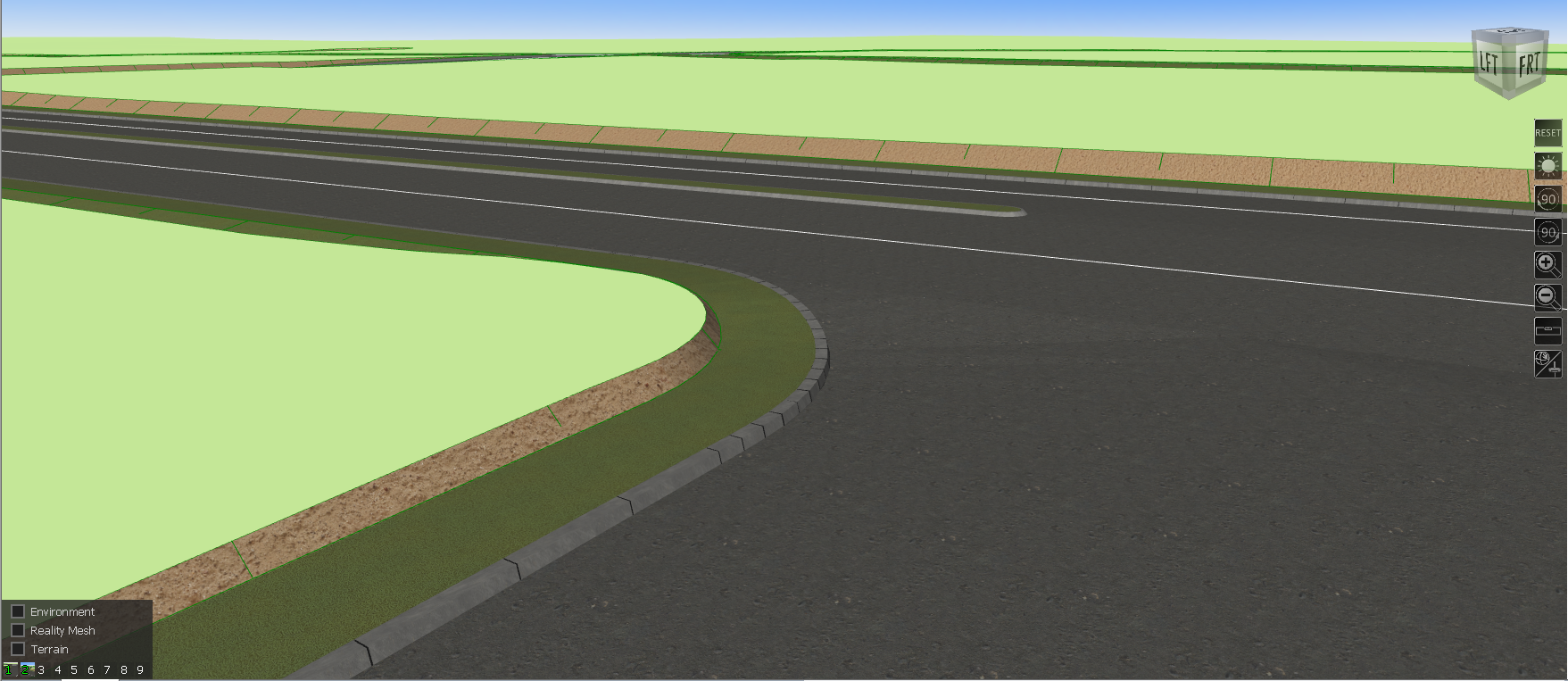
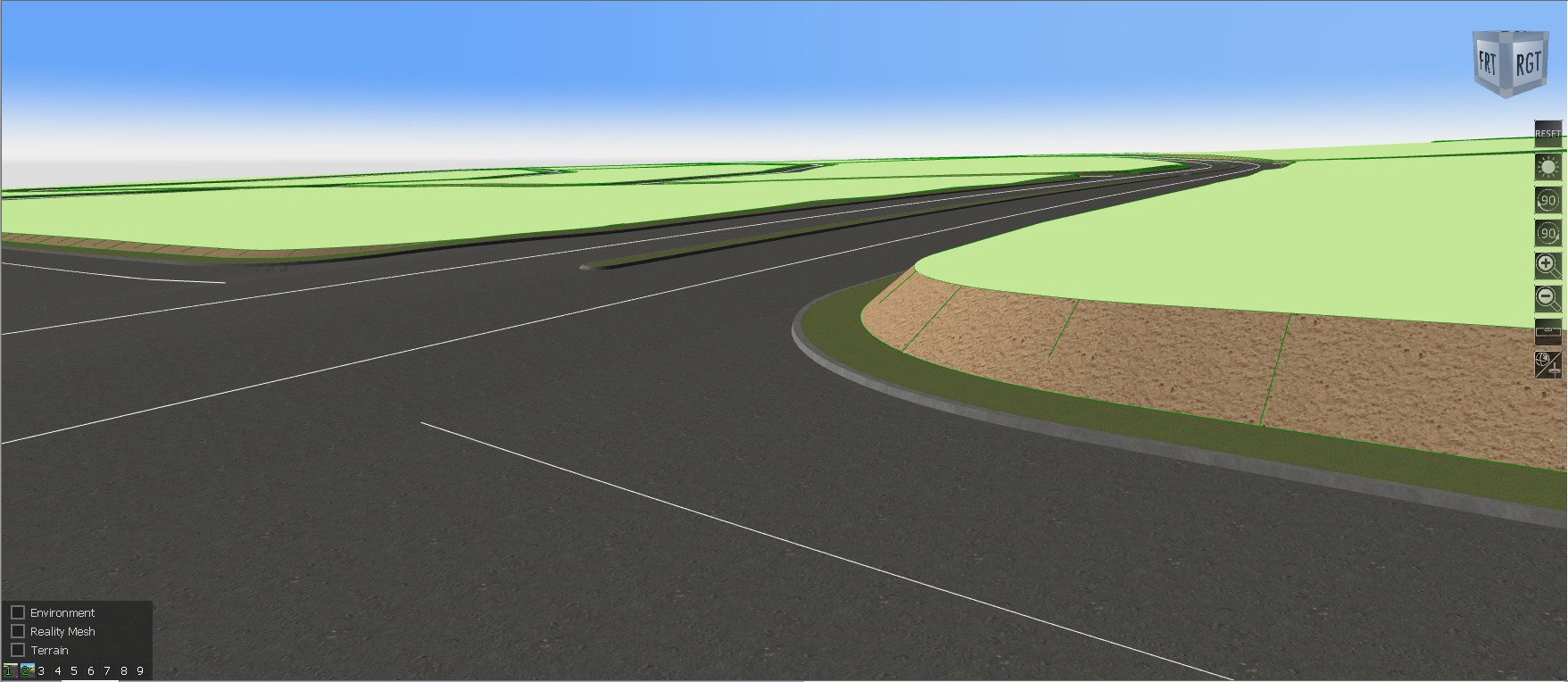
Specify unit lengths per kerb radius range. The results can be seen in Render view and in IFC export.
-
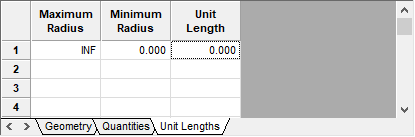
If you specify a unit length of zero, then the kerb will be continuous. For example, the unit length specification below, will result in continuous kerbs:
-
In the example below, we specify a 1m kerb length where the kerb radius is greater than 4m and a kerb length of 0.3m where the kerb radius is less than 4m.