Remove Label Line
|
Icon |
Command |
Shortcut Key |
Toolbar |
|
|
TERRAINCONTOURLABELREMOVE |
|
|
This function is to remove one line of labels or all the lines of labels previously defined by the Add Label Line function.
Procedure
- A dialog to select a single surface is displayed..
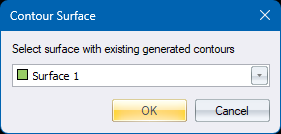
The list of surfaces contains only those surfaces for which contours have been generated. Make your selection and press OK.
-
If there are no label lines for that surface you are informed of that. Otherwise, all lines are temporarily drawn on screen in the default pink colour.:
-
You are prompted:
Indicate the contour label line to remove, (right-click for options)
Indicate on the temporary drawn line to select it for removal.
-
You are asked to confirm the removal. Press Yes and the line is removed.
-
You are continued to be asked to indicate the label line to remove, until there are no more lines to remove.
-
You can right-click and choose Remove All from the context menu to remove all the label lines in one go.
-
To stop, press <Esc> or right-click Quit from the context menu.